FREE K-12 AI LITERACY COURSES FOR THE 26-27 SY! Learn more here.

AP Computer Science Principles
An in-depth course to understand a variety of computer science topics and programming principles at a college level instruction.
- HTML
- AP Curriculum
- Python
- Voyage
- Year
- 9th grade
- 10th grade
- 11th grade
- 12th grade
Course Summary
AP Computer Science Principles is an introductory college-level computing course that introduces students to the breadth of the field of computer science. Students learn to design and evaluate solutions and to apply computer science to solve problems through the development of algorithms and programs. They incorporate abstraction into programs and use data to discover new knowledge. Students also explain how computing innovations and computing systems—including the internet—work, explore their potential impacts, and contribute to a computing culture that is collaborative and ethical. This is a year long course.
Course Outline
-
- Welcome to the AP CSP Curriculum
- AP CSP Big Ideas & Skills
- Course Resources
- The AP CSP Exam
- The AP CSP Create Performance Task Overview
- Create Performance Task Program Code Submission
- Create Performance Task Video Response
- Create Performance Task Written Response
- Preparing for the Create Performance Task
- Completing the Create Performance Task
-
- HTML Basics Learn the basic terminology and ideas behind HTML in this introductory lesson.
- Heading Tags This lesson will teach you how to use Headers to show hierarchy and style in your web pages.
- Text Colors Looking to spruce up your site with some color? This lesson focuses on how you can change the color of your text.
- Fonts Font families and sizes are the main topic in this lesson. There are many different combinations so have fun with it!
- HTML as a Language This introductory lesson addresses programming languages and a few of them that you will encounter in this unit and the next.
- HTML Structure Just like building a house, HTML needs to have structure. This lesson covers the basics of how to structure your HTML files.
- Background Color Background colors are a great way to show distinct sections in your site. This lesson covers the basics of how you can utilize this feature.
- HTML Title Titles are the cherry on top of every website. This lesson will cover how you can add this to your website for an even more personalized feel.
- Paragraphs Paragraph tags are one of the most common tags that you will use in HTML. Follow this lesson closely!
- Breaks and Dividers Break tags are one of the unique tags in HTML. This lesson covers how to use them and why they are different than most.
- Ordered Lists Lists are a great way to display multiple items. This lesson covers how to create numbered lists.
- Unordered Lists Similar to the previous lesson, this lesson covers how you can create a bulleted list.
- Text Align This lesson covers how you can align your text to the left, right and center of your website.
- Links This lesson discusses HTML links and how you can connect your users to external sites or internal pages on your website.
- Images Another very useful and common element in a website is the image tag. Check this lesson out to learn how to use them.
- Buttons/Event Listeners: onclick Finally some interaction! onclick is a great way to interact with your users.
- Background Image Background Images can be a great way to add more vibrance and texture to your website.
- Videos Videos are one of the most popular media types in the world right now. This lesson will teach you how to utilize this important feature.
- Image Link Image links can be a cool, useful way to let your users interact with your site.
- Media Checkpoint This checkpoint will cover most of the topics that we've discussed in this HTML 1 Unit. It's time to put everything you've learned together!
-
- Computer Parts and Pieces Learn how different components work together to help a computer run.
- From Electricity to a Bit Learn how information moves through computer components to generate the programs you enjoy.
- Troubleshooting Learn some techniques to troubleshooting that can help identify the problem.
- Programming Languages Learn about different programming languages, how they are used, and what they are used to build.
- Debugging Learn some strategies for debugging your code!
-
- Accessibility Learn about how we can make computer programs more accessible.
- The Digital Divide Learn what the Digital Divide is and how it affects people in different situations.
- Digital Citizenship Learn about digital citizenship and how you can be responsible with your technology.
- Cyber Bullying
- Computer Innovations Explore how different computer innovations have affected our everyday lives.
- Legal and Ethical Concerns in Innovations Learn about legal and ethical concerns surrounding computing innovations.
- Crowdsourcing Learn how collaboration affects computer innovations.
- Exam Review Review terms that appear on the AP test!
-
- Introduction to Algorithms Learn what an algorithm is and where they are in your life.
- Visualizing Algorithms Learn how to create flow charts to visualize your algorithms.
- AP CSP Algorithms in Computer Programming Practice building algorithms for computer programming!
- AP CSP Events in Programming Learn how events can help you make more specific programs!
- AP CSP Variables in Programming Learn the basics behind variables and how they are used in programming.
- AP CSP Conditionals in Programming Learn how conditionals can help make choices in your programs!
- AP CSP Loops in Programming Did you know that programming can have loops just like a roller coaster? Learn how to use a loop in this lesson.
- Logical Thinking Explore how different statements compare logically.
-
- AP CSP Introduction to Python Welcome to the Python language! Here is an overview of what Python is and what it can do.
- AP CSP Variables Learn how variables can store information for you.
- AP CSP Input/Output Learn how inputs and outputs work in Python.
- AP CSP Syntax & Comments Learn how comments can help you document your code clearly for others to see.
- AP CSP Variable Types Learn how the different variable types can help in your programming.
- AP CSP Numbers Learn about the different kinds of ways numbers are represented in Python.
- AP CSP Converting Learn how to convert between data types.
- AP CSP Python Concatenation Learn how to use concatenation in your programming.
- AP CSP Python Math Learn how we can do mathematical expressions using Python.
- AP CSP Modulus Learn what the modulus does and how it's useful in your programs.
- AP CSP Strings Learn what strings are and how they work in Python.
- AP CSP String Methods Learn more ways to work with strings in you program!
- AP CSP String Methods Continued Learn more about how string methods can help you work with strings in Python.
- AP CSP Checking Strings Learn how to more closely analyze the strings in your program.
- AP CSP Concatenating Numbers Similar to how we concatenated strings, we can also concatenate numbers to strings and vice versa.
- AP CSP Concatenating Numbers Continued This lesson covers formatting multiple integers and formatting by index.
- AP CSP Python If Statements Learn how to add if statements to your code!
- AP CSP Python Conditionals Learn how conditionals help to customize your code.
- AP CSP Python Else If Statements Learn how to add else if statements to your if statements.
- AP CSP Lists Learn how to use lists in your programming!
- AP CSP Python For Loops ,
-
- Rogue Access Points Learn what access points are and explore how someone might exploit them.
- Passwords Learn how to create strong passwords and organize your passwords to be accessible.
- Encryption Learn how encryption helps make things more secure.
- Types of Threat Learn about the different approaches criminals might take cause problems.
- Personal Data Learn how your personal data is available and could be without you knowing it!
- Computer Viruses Learn more about computer viruses and how they operate.
- Cybersecurity Posture Learn about different ways you can stay safe while using the internet.
- Copyright Learn what we can and cannot use on the internet and why.
-
- Intro to the Internet Learn what a network is and what parts of our lives interact with networks.
- Search Engines Learn about how search engines can help you and discover different kinds of search engines.
- Network Topologies Learn how different layouts of networks can help information move more efficiently
- Addressing Learn how addressing works in the internet.
- Network Routes Learn what kinds of routes the internet takes around the world.
- WIFI Learn how wifi works and discuss the limitations of wifi.
- Packets and Protocols Learn how packets and protocols help the internet function smoothly.
- Bandwidth and Scalability Learn what bandwidth is and how it affects your internet use. Learn what elements make the internet scalable and what hinders scalability.
- Network Parts and Pieces Learn about the different parts that help make the internet run!
- Redundancy and Internet Stability Learn about different strategies we use to stabilize the internet.
- Impacts of the Internet Learn how the internet has impacted the world we live in. Discuss what the Digital Divide is and how we can help.
-
- Binary Learn the basics of binary--why it exists and how the computer uses it to communicate information.
- Representing Numbers with Binary Learn how to convert information into binary and back.
- Bits and Bytes Learn what bits are and how they relate to binary!
- Bigger Bytes Learn about the different sizes of data.
- Representing Text with Binary Learn how we use binary to represent text.
- Representing Images with Binary Learn how to use binary to represent images
- Representing Video with Binary Learn how we represent video with binary!
- Representing Sound with Binary Learn how we represent various analog data such as sound with binary code.
- Number Limitations, Overflow, and Roundoff Learn about limitations for binary
- Data Compression Overview Learn what data compression is and how it is used.
- Lossless Text Compression Learn how we can compress text files in a way that they can be perfectly recreated.
- Lossless Image Compression Learn how images can be compressed with a lossless approach.
- Lossy Compression Learn how lossy compression works and when it is useful.
-
- Animal Tracking Introduction Welcome to the Skill Struck Marine Biology Field Base! Learn how code can help your mission as a marine biologist.
- Animal Tracking and Variables Learn how to create variables that will be useful to track your animals!
- Animal Tracking and Variable Types Learn how the different variable types can help you with animal tracking.
- Animal Tracking and Input/Output Learn how inputs and outputs can help with animal tracking.
- Animal Tracking and Converting Data Types Learn how converting data types can help with animal tracking.
- Animal Tracking and If Statements Learn how if statements can help with animal tracking.
- Animal Tracking with Conditionals Learn how Python conditionals can help with animal tracking.
- Animal Tracking Engineering Project Use what you have learned to engineer a computer program to produce information from animal tracking in the Pacific Ocean.
-
- AP CSP Python Accessing Items in a List Learn how to access specific items in your lists.
- AP CSP Using Integers from a Python List Learn how to use integers in your lists.
- AP CSP Adding to Lists Learn how to add to your lists in Python
- AP CSP Removing from Lists Learn how to remove items from lists in Python.
- AP CSP Python Lists Continued Dive deeper into what Python lists can do for your program!
- AP CSP If Statement in a For Loop Learn how to put an if statement inside of your for loop.
- AP CSP Python While Loops Python While Loops The while loop is used when you want code to run while something is true. You can think of a while loop as an if statement that repeats over and over again until a specific condition is met.
- AP CSP Python Functions Learn how to add functions to your Python code.
- AP CSP Python Function Parameters Learn how to better leverage your functions with the use of parameters.
- AP CSP Multiple Parameters in Python Functions Learn more about functions as you add multiple parameters into your functions.
- AP CSP Python Random Learn how to get random values in Python
- AP CSP Python Building on Existing Algorithms Learn how to build on existing algorithms to accomplish something different.
- AP CSP Python Team Project Work together on a team on a programming project!
-
- Testing an Algorithm for Efficiency Learn some techniques that can test different different algorithms to see how efficient they are.
- Highly Complex or Difficult Problems Learn how computers approach certain highly complex or difficult problems.
- Logical Thinking Explore how different statements compare logically.
- Sequential and Parallel Computing Learn how sequential and parallel computing work and when each might be used.
- Data Structures Learn about the different ways we use data and the challenges associated with data collection, structure, and interpretation.
- MetaData Learn what metadata is and how it helps your computer programs to work.
- Simulations Learn how to use random to create simulations.
- Outside Libraries Learn how outside libraries can make building projects much easier!
- AI, Machine Learning, & Automation Learn how artificial intelligence, machine learning, and automation are affecting your world and potential changes in the future.
- Linear Search vs Binary Search Compare different methods of searching through data.
- Data Learn how computers help us understand data sets.
-
- AP CSP Project 1: Reading Competition This is the first Python Project. You got this!
- AP CSP Project 2: Simple Calculator This is the second Python Project. Keep it up!
- AP CSP Project 3: Story Maker This is the third Python Project. Good luck!
- AP CSP Project 4: Team Roster This is the fourth Python Project. You got this!
- AP CSP Project 5 Decipher Fifth python project, good luck!!
- AP CSP Project 6 Mad Libs! Make your computer talk! For this lesson we are going to use inputs and print statements to make your computer talk. Start by creating a Mad Libs, you can use the one above, or you can find one on the internet. You will store the nouns, places, and adjectives in variables and then print them.
- AP CSP Project 7: Earnings Calculator This is the ninth Python Project. Great job!
- AP CSP Project 8: Sentence Generator This is the third Python Project. You're doing great!
- AP CSP Project 9: Nicco's Pizza You are the new owner of Nicco’s Pizza in Rome Italy and Gordon Ramsey, The Cake Boss, and many other food celebrities are coming to eat at your restaurant. Since it is the very best Pizza it needs to have the very best ordering system.
- AP CSP Project 10: Leap Year leap year calc
- AP CSP Project 11: Prime Number Calculator Prime number calc
- AP CSP Project 12: Guess the Word Hangman
- AP CSP Project 13: Contact List Contact list
- AP CSP Project 14: Factorials In this project, students will write a program that receives one number as the input, then calculates the sum of all factorials of its factorial.
- Create Performance Task Written Response
Standard Alignment
CSTA K-12 Computer Science Standards
- 2-AP-10
- 2-AP-11
- 2-AP-12
- 2-AP-13
- 2-AP-14
- 2-AP-15
- 2-AP-16
- 2-AP-17
- 2-AP-18
- 2-AP-19
- 2-CS-01
- 2-CS-02
- 2-CS-03
- 2-DA-07
- 2-DA-09
- 2-IC-20
- 2-IC-21
- 2-IC-22
- 2-IC-23
- 2-NI-05
- 2-NI-06
- 3A-AP-13
- 3A-AP-14
- 3A-AP-15
- 3A-AP-16
- 3A-AP-17
- 3A-AP-18
- 3A-AP-19
- 3A-AP-21
- 3A-AP-22
- 3A-AP-23
- 3A-CS-01
- 3A-CS-02
- 3A-CS-03
- 3A-DA-09
- 3A-DA-10
- 3A-DA-11
- 3A-DA-12
- 3A-IC-24
- 3A-IC-25
- 3A-IC-27
- 3A-IC-29
- 3A-IC-30
- 3A-NI-05
- 3A-NI-06
- 3A-NI-07
- 3B-AP-08
- 3B-AP-09
- 3B-AP-10
- 3B-AP-11
- 3B-AP-12
- 3B-AP-13
- 3B-AP-14
- 3B-AP-15
- 3B-AP-16
- 3B-AP-17
- 3B-AP-18
- 3B-AP-19
- 3B-AP-20
- 3B-AP-21
- 3B-AP-22
- 3B-AP-23
- 3B-AP-24
- 3B-CS-01
- 3B-CS-02
- 3B-DA-07
- 3B-IC-25
- 3B-IC-26
- 3B-IC-27
- 3B-NI-04
State standards documents
| Document | Standards | Grades |
|---|---|---|
| National | ||
| 2022 Skill Struck Standards Alignment + Correlation Guide | CSTA K-12 Computer Science Standards · 2022 | K-2, 3-5, 6-8, 9-12 |
| Alabama | ||
| Alabama Course of Study Digital Literacy and CS Standards + Skill Struck Alignment | Alabama Course of Study Digital Literacy and CS Standards | K-2, 3-5, 6-8, 9-12 |
| Arizona | ||
| Arizona Computer Science Standards + Skill Struck Alignment | Arizona Computer Science Standards | K-2, 3-5, 6-8, 9-12 |
| Arkansas | ||
| Arkansas Computer Science and Computing Standards High School Programming + Skill Struck Alignment | Arkansas Computer Science and Computing Standards High School Programming · 2023 | 9-12 |
| California | ||
| California K-12 CS Standards + Skill Struck Alignment | California K-12 CS Standards | K-2, 3-5, 6-8, 9-12 |
| Idaho | ||
| Idaho Content Standards Computer Science + Skill Struck Alignment | Idaho Content Standards Computer Science · 2023 | K-2, 3-5, 6-8, 9-12 |
| Illinois | ||
| Illinois Computer Science Standards + Skill Struck Alignment | Illinois Computer Science Standards · 2022 | K-2, 3-5, 6-8, 9-12 |
| Indiana | ||
| Indiana K-12 Computer Science Standards + Skill Struck Alignment | Indiana K-12 Computer Science Standards · 2023 | K-2, 3-5, 6-8, 9-12 |
| Iowa | ||
| Iowa Computer Science Standards + Skill Struck Alignment | Iowa Computer Science Standards | K-2, 3-5, 6-8, 9-12 |
| Kansas | ||
| Kansas CS Standards P-12 + Skill Struck Alignment | Kansas CS Standards P-12 · 2023 | K-2, 3-5, 6-8, 9-12 |
| Kentucky | ||
| Kentucky Academic Standards for Computer Science + Skill Struck Alignment | Kentucky Academic Standards for Computer Science · 2023 | K-2, 3-5, 6-8, 9-12 |
| Maryland | ||
| Maryland K-12 CS Standards + Skill Struck Alignment | Maryland K-12 CS Standards · 2023 | K-2, 3-5, 6-8, 9-12 |
| Massachusetts | ||
| Massachusetts Digital Literacy and Computer Science Standards + Skill Struck Alignment | Massachusetts Digital Literacy and Computer Science Standards · 2023 | K-2, 3-5, 6-8, 9-12 |
| Michigan | ||
| Michigan K-12 Standards Computer Science + Skill Struck Alignment | Michigan K-12 Standards Computer Science · 2023 | K-2, 3-5, 6-8, 9-12 |
| Mississippi | ||
| Mississippi College and Career Readiness standards for Computer Science + Skill Struck Alignment | Mississippi College and Career Readiness standards for Computer Science · 2022 | K-2, 3-5, 6-8, 9-12 |
| Missouri | ||
| Missouri K-12 Computer Science Performance Standards + Skill Struck Alignment | Missouri K-12 Computer Science Performance Standards · 2023 | K-2, 3-5, 6-8, 9-12 |
| Nebraska | ||
| Nebraska K-12 Technology Standards + Skill Struck Alignment | Nebraska K-12 Technology Standards · 2023 | K-2, 3-5, 6-8, 9-12 |
| Nevada | ||
| Nevada Academic Content Standards for CS + Skill Struck Alignment | Nevada Academic Content Standards for CS | K-2, 3-5, 6-8, 9-12 |
| Nevada Academic Content Standards for Integrated Technology + Skill Struck Alignment | Nevada Academic Content Standards for Integrated Technology | K-2, 3-5, 6-8, 9-12 |
| Nevada Computer Science Standards + Skill Struck Alignment | Nevada Computer Science Standards | 9-12 |
| New Jersey | ||
| New Jersey Computer Science and Design Thinking Standards + Skill Struck Alignment | New Jersey Computer Science and Design Thinking Standards · 2020 | K-2, 3-5, 6-8, 9-12 |
| New York | ||
| New York Computer Science and Digital Fluency Learning Standards K-12 + Skill Struck Alignment | New York Computer Science and Digital Fluency Learning Standards K-12 | K-2, 3-5, 6-8, 9-12 |
| North Carolina | ||
| North Carolina K-12 CS Standards + Skill Struck Alignment | North Carolina K-12 CS Standards | K-2, 3-5, 6-8, 9-12 |
| Ohio | ||
| Ohio's Learning Standards Computer Science + Skill Struck Alignment | Ohio's Learning Standards Computer Science · 2023 | K-2, 3-5, 6-8, 9-12 |
| Oklahoma | ||
| Oklahoma Academic Standards for Computer Science + Skill Struck Alignment | Oklahoma Academic Standards for Computer Science | K-2, 3-5, 6-8, 9-12 |
| Rhode Island | ||
| Rhode Island's K-12 CS Education Standards + Skill Struck Alignment | Rhode Island's K-12 CS Education Standards | K-2, 3-5, 6-8, 9-12 |
| South Carolina | ||
| South Carolina's Computer Science Standards for High School + Skill Struck Alignment | South Carolina's Computer Science Standards for High School · 2023 | 9-12 |
| Tennessee | ||
| Tennessee K-12 Computer Science State Standards + Skill Struck Alignment | Tennessee K-12 Computer Science State Standards · 2023 | K-2, 3-5, 6-8, 9-12 |
| Texas | ||
| TEKs Skills for CTE + Skill Struck Alignment | TEKs Skills for CTE | 9-12 |
| Utah | ||
| Utah 6-12 CS Standards + Skill Struck Alignment | Utah 6-12 CS Standards · 2019 | 6-8, 9-12 |
| Virginia | ||
| Virginia K-12 CS Standards + Skill Struck Alignment | Virginia K-12 CS Standards · 2023 | K-2, 3-5, 6-8, 9-12 |
| Washington | ||
| Washington K-12 CS State Learning Standards + Skill Struck Alignment | Washington K-12 CS State Learning Standards | K-2, 3-5, 6-8, 9-12 |
| Wisconsin | ||
| Wisconsin Standards for Computer Science + Skill Struck Alignment | Wisconsin Standards for Computer Science · 2023 | K-2, 3-5, 6-8, 9-12 |
Course Project
In this course students will complete challenges that help solidify concepts as they use skills in a variety of ways. In order to complete tasks, students will creatively apply what they've learned by using different approaches to reach a goal. This experience closely follows challenges they would face in a technical interview, allowing them to practice. Some examples of projects: Find the Tens Place, Remove String Section, Leap Year, Factorial, Halloween Candy Count
-
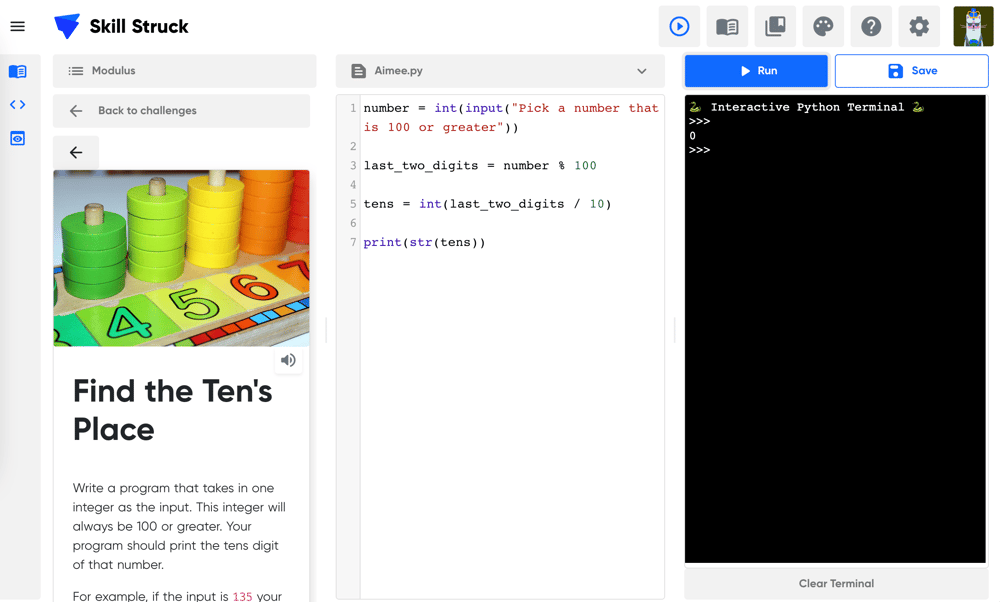
Find the Tens Place -
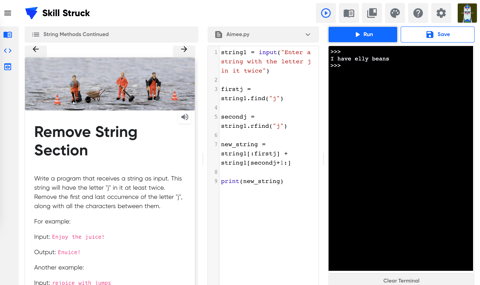
Remove String Section -
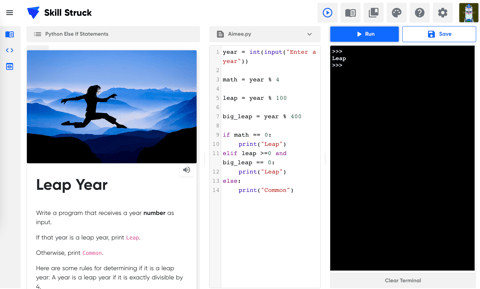
Leap Year -
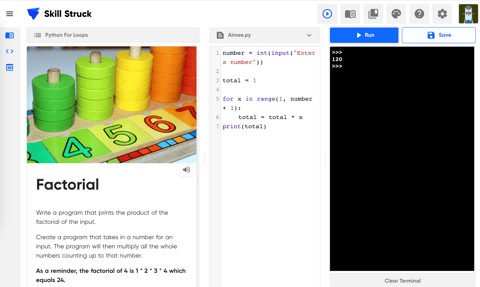
Factorial -
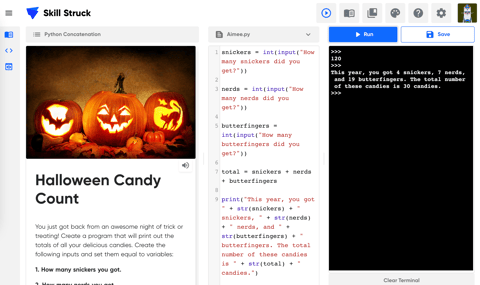
Halloween Candy Count


