FREE K-12 AI LITERACY COURSES FOR THE 26-27 SY! Learn more here.

HTML & CSS Coding Specialist Certification Prep
This course dives deep into HTML and CSS concepts in order to prepare for the Knowledge Pillars HTML & CSS Coding Specialist Certification.
- HTML
- CSS
- Certification Prep
- Voyage
- Semester
- 9th grade
- 10th grade
- 11th grade
- 12th grade
Course Summary
This course dives deeper into web development as students discover more of what HTML and CSS can do. Students explore the possibilities of bootstrap, animations, and tables among other topics. Students polish their websites further, adding sophistication and interaction to their sites.
Course Outline
-
- HTML Basics Learn the basic terminology and ideas behind HTML in this introductory lesson.
- Heading Tags This lesson will teach you how to use Headers to show hierarchy and style in your web pages.
- Text Colors Looking to spruce up your site with some color? This lesson focuses on how you can change the color of your text.
- Fonts Font families and sizes are the main topic in this lesson. There are many different combinations so have fun with it!
- HTML as a Language This introductory lesson addresses programming languages and a few of them that you will encounter in this unit and the next.
- HTML Structure Just like building a house, HTML needs to have structure. This lesson covers the basics of how to structure your HTML files.
- Background Color Background colors are a great way to show distinct sections in your site. This lesson covers the basics of how you can utilize this feature.
- HTML Title Titles are the cherry on top of every website. This lesson will cover how you can add this to your website for an even more personalized feel.
- Basic Web Practice This is the basic web practice project.
- Paragraphs Paragraph tags are one of the most common tags that you will use in HTML. Follow this lesson closely!
- Breaks and Dividers Break tags are one of the unique tags in HTML. This lesson covers how to use them and why they are different than most.
- History Website This is the history website project.
- Ordered Lists Lists are a great way to display multiple items. This lesson covers how to create numbered lists.
- Unordered Lists Similar to the previous lesson, this lesson covers how you can create a bulleted list.
- Text Align This lesson covers how you can align your text to the left, right and center of your website.
- Links This lesson discusses HTML links and how you can connect your users to external sites or internal pages on your website.
- Book Report This is the book report project.
- Images Another very useful and common element in a website is the image tag. Check this lesson out to learn how to use them.
- Color Check-In
- Identity
- A Calming Place
-
- Buttons/Event Listeners: onclick Finally some interaction! onclick is a great way to interact with your users.
- Success Skills This is the success skills project.
- Background Image Background Images can be a great way to add more vibrance and texture to your website.
- Goal Setting
- Gratitude Journal
- Zones of Regulation
- Videos Videos are one of the most popular media types in the world right now. This lesson will teach you how to utilize this important feature.
- Favorite Movie This is the favorite movie project.
- Cereal Website This is the cereal website project.
- Audio
- Image Link Image links can be a cool, useful way to let your users interact with your site.
- Olympics This is the olympics project.
- Favorite Holiday This is the favorite holiday project.
- Introduction to CSS Learn how to get started with the CSS language!
- Connecting Your CSS File to an HTML File Learn how to connect your CSS file to an HTML file.
- Historical Figure Report This is the historical figure report project.
- Text Shadow Learn how to give HTML text a shadow with CSS!
- Rounded Corners Why have sharp corners when you can make them round? This lesson will cover the basics of using border-radius to add some smoothness to your site.
- Box Shadow Box Shadow is a great way to add some depth to your site. Let's learn how this is accomplished.
-
- Music History This is the music history project.
- Color Gradient Color gradients are a great way to blend two colors together and add some more flair to your page. Let's see how they are implemented.
- Comments in HTML/CSS Comments are a great way to make your code more readable for yourself and others. Let's see how we can implement them in HTML and CSS.
- Classes As your page grows, classes make it easy to assign CSS to certain elements in your site. This lesson tackles how to use classes and their importance.
- Color Picker Millions of colors exist and sometimes it's hard to choose which one you want to use, or how to even find it. Let's learn how we can more easily find colors and use them in our website.
- Theme Checkpoint This checkpoint uses the first few CSS lessons and some HTML knowledge together to test your skills.
- Margin and Padding (Box Model) Space is just as important as content on a website! This lesson covers the different ways to add space to your page.
- Pseudo Selectors This lesson covers pseudo selectors, which is a great way to add in some interaction to your site.
- Opacity Sometimes, you want your images to be partially transparent. Let's learn how to utilize opacity to accomplish this.
- Div Tags One of the most common ways to group together elements is using div tags. Let's check out how we can implement them.
- Culture Cutlure website
- Button Design Learn the CSS styles and best practices for styling a professional looking button.
- Let it Grow! Let it Grow!
- List Styles HTML Lists don't have to be boring! Let's spruce them up a bit.
- CSS Icons Add CSS Icons to your website using Material Icons.
- Borders Learn to add a stylized border to an HTML element! Including images, shapes, and buttons. Customize the border color, width or style.
- Positioning This lesson discusses CSS Positioning and how it can be used to adjust the location of elements.
- Media Queries Intro Cellphones and tablets are more popular now than ever before! Let's look at how we can adjust our site depending on the width of the screen it is viewed on.
- Awesome Pets CSS Project #3
- CSS Grid
- CSS Flexbox
-
- Background Image Style Similar to the background image lesson that was covered in the HTML 1 Unit, we will learn how to use background images in CSS to style your page.
- Space Exploration CSS Project #4
- External Style Sheet External style sheets allow us to clean up our HTML files and manage all of our CSS in a separate location. Let's clean up that code!
- Professional Color Scheme Using a color scheme of your choice and the HTML/CSS skills you've learned, create the most professional, stunning website you can about your topic of choice.
- Bootstrap Intro This lesson covers the basics of adding bootstrap to your website and its usefulness.
- Dream Car Create a website to show off your dream car. Make it as professional as you can.
- Bootstrap Classes This lesson covers Bootstrap classes, specifically the container and container-fluid classes.
- All Time Best Brand Choose a brand that you enjoy and create a website to advertise this brand.
- Bootstrap Grid Bootstrap grid defines the basic layout of your website. This lesson will cover how to use it.
- Twelve Column Grid The twelve column grid is how bootstrap allows you to define widths of your elements.
- Grid Review This is the grid checkpoint. Good luck!
- School Mascot Create a website to highlight and explain your school mascot.
- Bootstrap Jumbotron Similar to a sport arena jumbotron, Bootstrap jumbotrons create a large block to catch your users attention.
- Restaurant Create a beautiful website all about your favorite place to go eat. Use the CSS and HTML concepts you've learned to create as appetizing of a website as you can.
- Bootstrap Cards Cards are an excellent way to arrange content in small sections on your website.
- Bootstrap Carousels Similar to how a theme park carousel rotates in a circle, Bootstrap carousels allow you to rotate through images.
- Bootstrap Nav Bar Nav bars allow the user to navigate between the pages or sections of your website. This lesson gives a great overview of how to use them.
- Bootstrap Dropdown Learn how to add dropdown menus with Bootstrap.
- Components Review This is the Bootstrap component checkpoint. Review the past Bootstrap lessons and you should do great!
- Game On Decide on the best game of all time and create a website to show it off.
-
- Transform Similar to the CSS Animations lesson, we can also use transform to transition smoothly between two styles.
- Transition The transition property allows us to change the way transformations look while the element is transforming.
- Transitions Review This is the transitions checkpoint! You got this.
- Animations This lesson covers the basics of creating great looking animations using only CSS! The possibilities are endless.
- Tables Intro This lesson introduces tables and how they can be used to display data.
- Tables Continued This lesson continues the topic of HTML tables and dives deeper into building tables to display data.
- Table Styles Tables are great but we want them to look great as well. Let's add some styles!
- Table Review This is the table checkpoint. Good luck!
- Forms Forms allow users to input data that can be processed and stored. This lesson covers how to implement a form on your site.
- Text Input Text inputs are an essential part of forms. Let's collect some input!
- Radio Input Radio inputs are another type of input that allows the user to select an option from a list.
- Facebook Plugins
- Custom HTML Elements
- Shadow DOM
- APIs
Standard Alignment
State standards documents
| Document | Standards | Grades |
|---|---|---|
| National | ||
| 2022 Skill Struck Standards Alignment + Correlation Guide | CSTA K-12 Computer Science Standards · 2022 | K-2, 3-5, 6-8, 9-12 |
| Alabama | ||
| Alabama Course of Study Digital Literacy and CS Standards + Skill Struck Alignment | Alabama Course of Study Digital Literacy and CS Standards | K-2, 3-5, 6-8, 9-12 |
| Arizona | ||
| Arizona Computer Science Standards + Skill Struck Alignment | Arizona Computer Science Standards | K-2, 3-5, 6-8, 9-12 |
| Arkansas | ||
| Arkansas Computer Science and Computing Standards High School Programming + Skill Struck Alignment | Arkansas Computer Science and Computing Standards High School Programming · 2023 | 9-12 |
| California | ||
| California K-12 CS Standards + Skill Struck Alignment | California K-12 CS Standards | K-2, 3-5, 6-8, 9-12 |
| Idaho | ||
| Idaho Content Standards Computer Science + Skill Struck Alignment | Idaho Content Standards Computer Science · 2023 | K-2, 3-5, 6-8, 9-12 |
| Illinois | ||
| Illinois Computer Science Standards + Skill Struck Alignment | Illinois Computer Science Standards · 2022 | K-2, 3-5, 6-8, 9-12 |
| Indiana | ||
| Indiana K-12 Computer Science Standards + Skill Struck Alignment | Indiana K-12 Computer Science Standards · 2023 | K-2, 3-5, 6-8, 9-12 |
| Iowa | ||
| Iowa Computer Science Standards + Skill Struck Alignment | Iowa Computer Science Standards | K-2, 3-5, 6-8, 9-12 |
| Kansas | ||
| Kansas CS Standards P-12 + Skill Struck Alignment | Kansas CS Standards P-12 · 2023 | K-2, 3-5, 6-8, 9-12 |
| Kentucky | ||
| Kentucky Academic Standards for Computer Science + Skill Struck Alignment | Kentucky Academic Standards for Computer Science · 2023 | K-2, 3-5, 6-8, 9-12 |
| Maryland | ||
| Maryland K-12 CS Standards + Skill Struck Alignment | Maryland K-12 CS Standards · 2023 | K-2, 3-5, 6-8, 9-12 |
| Massachusetts | ||
| Massachusetts Digital Literacy and Computer Science Standards + Skill Struck Alignment | Massachusetts Digital Literacy and Computer Science Standards · 2023 | K-2, 3-5, 6-8, 9-12 |
| Michigan | ||
| Michigan K-12 Standards Computer Science + Skill Struck Alignment | Michigan K-12 Standards Computer Science · 2023 | K-2, 3-5, 6-8, 9-12 |
| Mississippi | ||
| Mississippi College and Career Readiness standards for Computer Science + Skill Struck Alignment | Mississippi College and Career Readiness standards for Computer Science · 2022 | K-2, 3-5, 6-8, 9-12 |
| Missouri | ||
| Missouri K-12 Computer Science Performance Standards + Skill Struck Alignment | Missouri K-12 Computer Science Performance Standards · 2023 | K-2, 3-5, 6-8, 9-12 |
| Nebraska | ||
| Nebraska K-12 Technology Standards + Skill Struck Alignment | Nebraska K-12 Technology Standards · 2023 | K-2, 3-5, 6-8, 9-12 |
| Nevada | ||
| Nevada Academic Content Standards for CS + Skill Struck Alignment | Nevada Academic Content Standards for CS | K-2, 3-5, 6-8, 9-12 |
| Nevada Academic Content Standards for Integrated Technology + Skill Struck Alignment | Nevada Academic Content Standards for Integrated Technology | K-2, 3-5, 6-8, 9-12 |
| Nevada Computer Science Standards + Skill Struck Alignment | Nevada Computer Science Standards | 9-12 |
| New Jersey | ||
| New Jersey Computer Science and Design Thinking Standards + Skill Struck Alignment | New Jersey Computer Science and Design Thinking Standards · 2020 | K-2, 3-5, 6-8, 9-12 |
| New York | ||
| New York Computer Science and Digital Fluency Learning Standards K-12 + Skill Struck Alignment | New York Computer Science and Digital Fluency Learning Standards K-12 | K-2, 3-5, 6-8, 9-12 |
| North Carolina | ||
| North Carolina K-12 CS Standards + Skill Struck Alignment | North Carolina K-12 CS Standards | K-2, 3-5, 6-8, 9-12 |
| Ohio | ||
| Ohio's Learning Standards Computer Science + Skill Struck Alignment | Ohio's Learning Standards Computer Science · 2023 | K-2, 3-5, 6-8, 9-12 |
| Oklahoma | ||
| Oklahoma Academic Standards for Computer Science + Skill Struck Alignment | Oklahoma Academic Standards for Computer Science | K-2, 3-5, 6-8, 9-12 |
| Rhode Island | ||
| Rhode Island's K-12 CS Education Standards + Skill Struck Alignment | Rhode Island's K-12 CS Education Standards | K-2, 3-5, 6-8, 9-12 |
| South Carolina | ||
| South Carolina's Computer Science Standards for High School + Skill Struck Alignment | South Carolina's Computer Science Standards for High School · 2023 | 9-12 |
| Tennessee | ||
| Tennessee K-12 Computer Science State Standards + Skill Struck Alignment | Tennessee K-12 Computer Science State Standards · 2023 | K-2, 3-5, 6-8, 9-12 |
| Texas | ||
| TEKs Skills for CTE + Skill Struck Alignment | TEKs Skills for CTE | 9-12 |
| Utah | ||
| Utah 6-12 CS Standards + Skill Struck Alignment | Utah 6-12 CS Standards · 2019 | 6-8, 9-12 |
| Virginia | ||
| Virginia K-12 CS Standards + Skill Struck Alignment | Virginia K-12 CS Standards · 2023 | K-2, 3-5, 6-8, 9-12 |
| Washington | ||
| Washington K-12 CS State Learning Standards + Skill Struck Alignment | Washington K-12 CS State Learning Standards | K-2, 3-5, 6-8, 9-12 |
| Wisconsin | ||
| Wisconsin Standards for Computer Science + Skill Struck Alignment | Wisconsin Standards for Computer Science · 2023 | K-2, 3-5, 6-8, 9-12 |
Course Project
In this course students will complete challenges that help solidify concepts as they use skills in a variety of ways. In order to complete tasks, students will creatively apply what they've learned by using different approaches to reach a goal. This experience closely follows challenges they would face in a technical interview, allowing them to practice. Students will create a variety of more advanced websites using different web development skills. Some examples of projects: Sunset, NASA Nav, Shoe Size Playing with Borders, 12 Column Chart, Forms
-
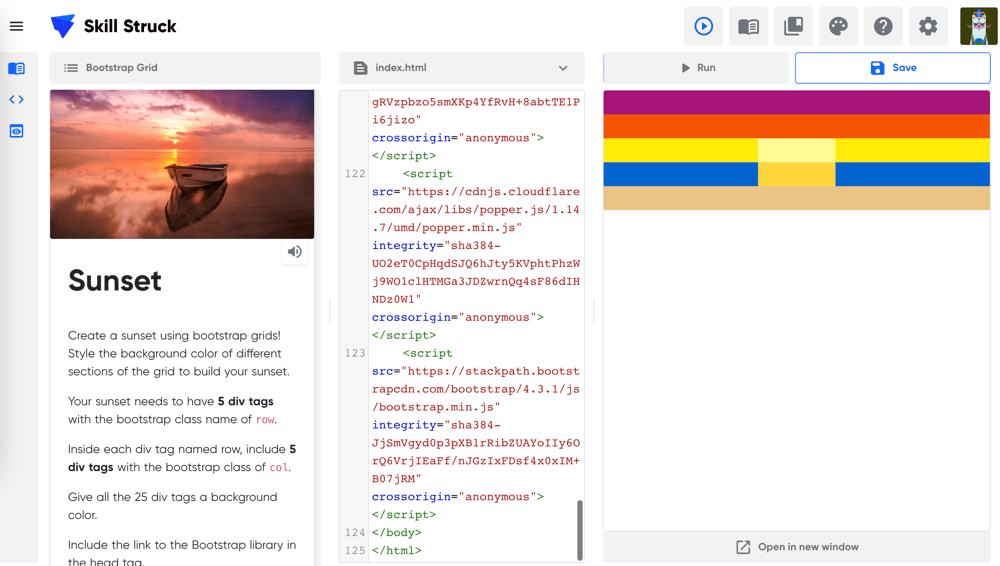
Sunset -
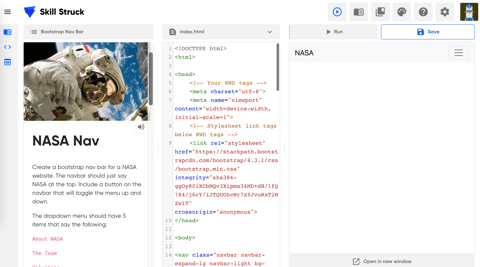
NASA -
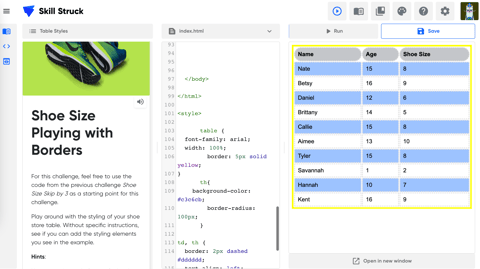
Shoe Size Playing with Borders -
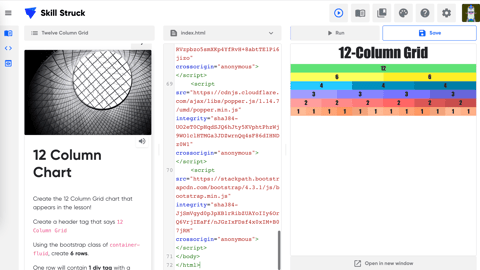
Column Chart -
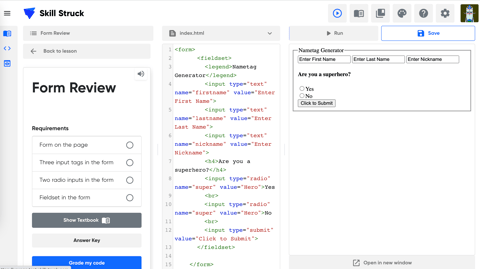
Forms


